Before the beginning of a semester:
Do I need to order a new course or can I reuse an old one?
There are two possibilities for getting a course in Harno Moodle:
Option no 1: order a new course (an empty course or a copy of an old one) by sending an e-mail to [email protected] or filling this form.
In this case the old courses should be deleted or hidden. Teachers can’t delete courses by themselves, so you need to let us know about your wish by e-mail [email protected]. Another possibility is to hide the course in Moodle. To do that you need to click here:
Option no 1: order a new course (an empty course or a copy of an old one) by sending an e-mail to [email protected] or filling this form.
In this case the old courses should be deleted or hidden. Teachers can’t delete courses by themselves, so you need to let us know about your wish by e-mail [email protected]. Another possibility is to hide the course in Moodle. To do that you need to click here:
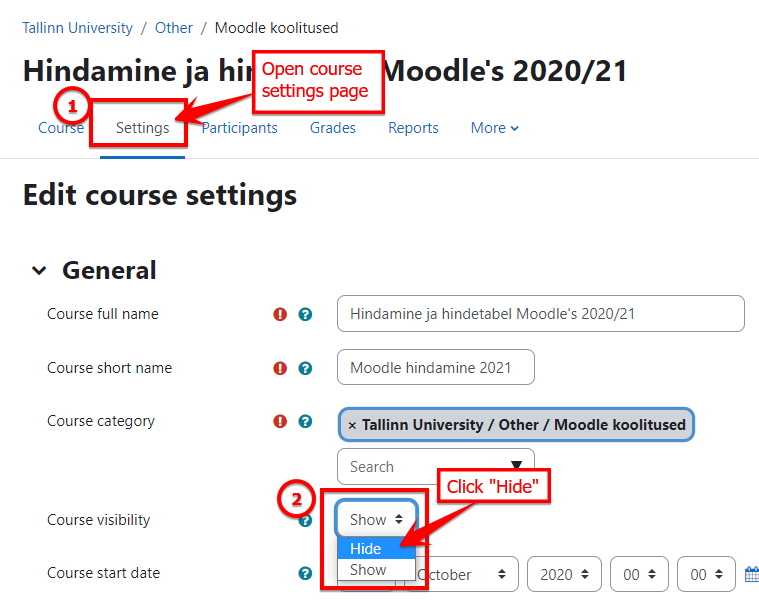
Now change “Course visibility” to “Hide”.
Save changes in the end of this page!
Option no 2: reuse an old course.
In this case you should:
Step 1: Change the start date of the course. Click again on “Settings”-tab on the course page and change the date:
Option no 2: reuse an old course.
In this case you should:
Step 1: Change the start date of the course. Click again on “Settings”-tab on the course page and change the date:

This will set the first week of your course (if you use week format) and the course will placed under course overview section “In progress” (otherwise you and your students might find it under past courses).
Save changes in the end of this page!
Step 2: Before students start enrolling to your course you need to remove previous students. Students can’t leave the course by themselves and would otherwise get notifications about ongoing course.
Click "Participants" and then filter all students (otherwise you might delete yourself from course!):
Save changes in the end of this page!
Step 2: Before students start enrolling to your course you need to remove previous students. Students can’t leave the course by themselves and would otherwise get notifications about ongoing course.
Click "Participants" and then filter all students (otherwise you might delete yourself from course!):


Select all of them:

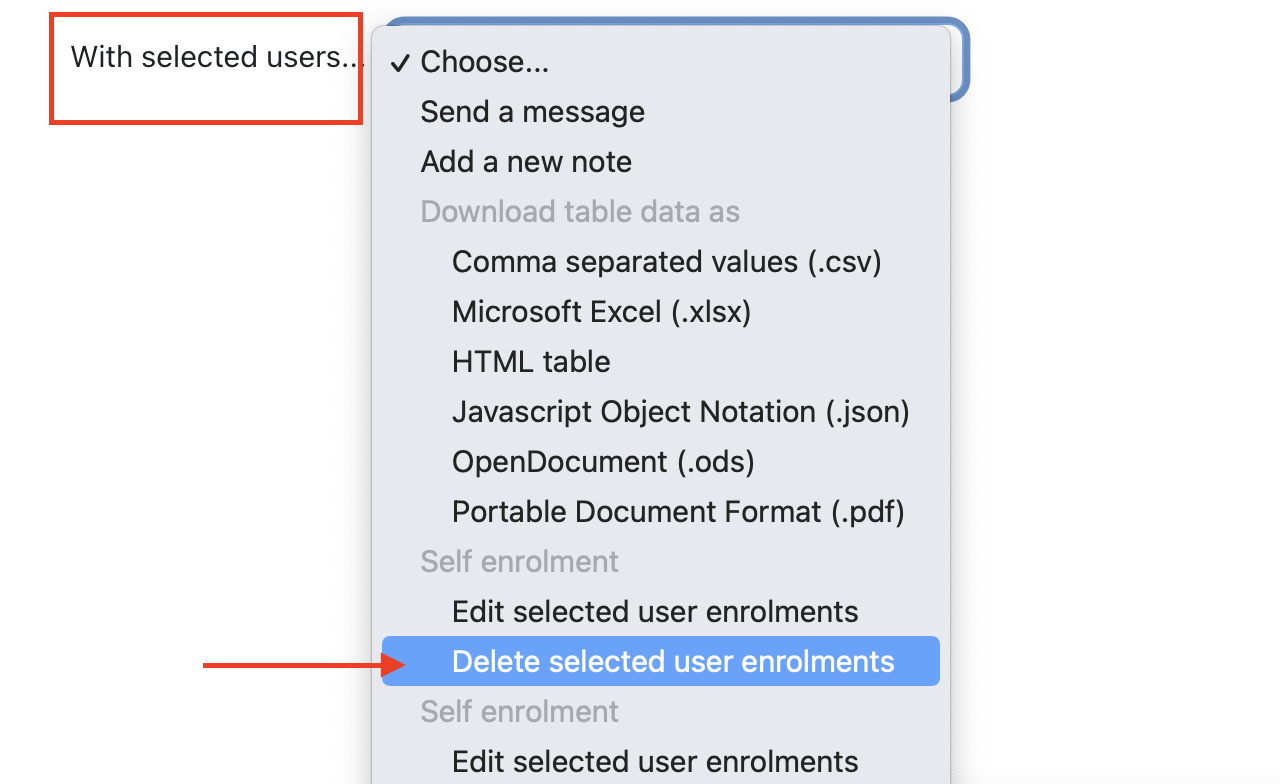
And with selected users choose "Delete selected user enrollments":
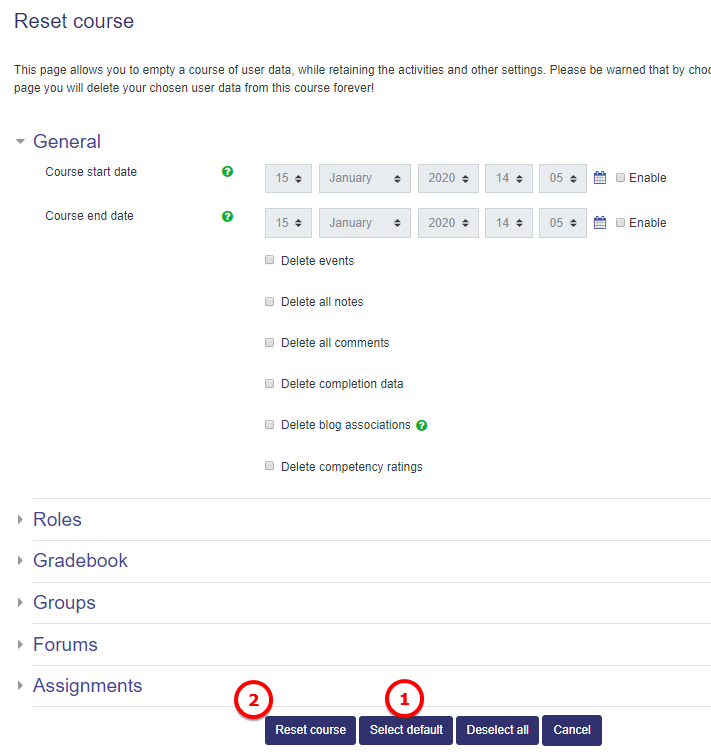
Step 3: Reset course – it means that you can empty the course from user data, while retaining the activities and other settings.
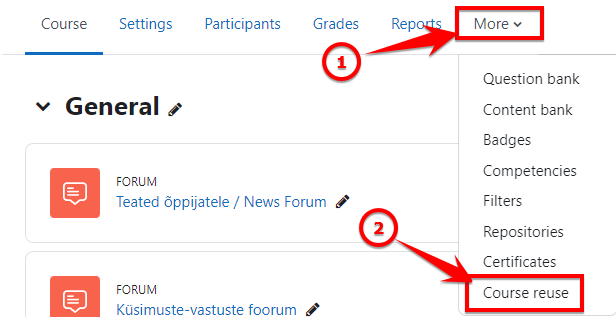
Click "More" on the course main page and select "Course reuse" option:
Click "More" on the course main page and select "Course reuse" option:
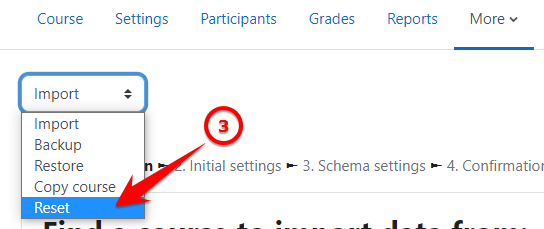
Then select “Reset” in drop-down menu: